ImageGlass 10 is officially available today.
This release marks a massive milestone: a complete rewrite from the ground up. Previous versions relied directly on Windows APIs, keeping ImageGlass locked to a single OS. ImageGlass 10 is rebuilt on .NET and Avalonia, bringing a single, unified codebase natively to Windows, macOS, and Linux.
Rebuilding the app opened the door for capabilities that were previously impossible: native HDR image support, an in-house SVG rendering engine, extensible codec plugins, and dramatically faster cold startup times. ImageGlass Classic remains free and open source under the GNU GPLv3, while a brand-new ImageGlass Pro edition launches alongside it.
Cross-Platform Support
Bringing ImageGlass to non-Windows platforms has been the most requested feature for years. Moving to a single codebase means feature updates, performance gains, and bug fixes land on Windows, macOS, and Linux simultaneously on day one.
System Requirements
Every distribution package is entirely self-contained – no external runtime or prerequisites required.
| Platform | Requirements | Download |
|---|---|---|
| Windows | Windows 10 x64 or arm64, version 1809 (build 17763) or later | MSIX or ZIP |
| macOS* | 14+, Apple Silicon arm64 | DMG |
| Linux* | Desktop X11 x64 | Flatpak or Tar.gz |
* – Check Avalonia UI Supported platforms for the macOS and Linux requirements.
Platform Differences
Viewing, browsing, and built-in tools work identically everywhere. Where operating systems differ, platform-specific capabilities adjust automatically:
| Feature | Windows | macOS | Linux |
|---|---|---|---|
| Window Fit mode | ✅ | ❌ | ✅ |
| Frameless mode | ✅ | ✅ | ❌ |
| Window backdrop | ✅ | ❌ | ❌ |
| File > Open With | ✅ | ❌ | ❌ |
| File > Print | ✅ | ❌ | ❌ |
| File > Share | ✅ | ❌ | ❌ |
| Image > Set as Lock Screen | ✅ | ❌ | ❌ |
| File Explorer sort order | ✅ | ❌ | ❌ |
| Custom extension icons | ✅* | ❌ | ❌ |
* – Not available in the Microsoft Store release due to store sandbox limitations.
⚠️ Important! Before upgrading to v10 from v9.x:
- Step 1: Disable the Startup Boost:
- Open Settings > General > Startup, click "Disable Startup Boost" button
- Click "Open Startup apps setting", it will open Windows App Startup Settings, ImageGlass should be removed from the list.
- Step 2: Remove the Default photo viewer:
- Open Settings > File type associations, click "Remove default" button
- Or click on Main menu > Help > Remove default photo viewer
- Step 3: Back up your
igconfig.jsonfile (app settings will be reset):- Open Settings > General, click "Configuration location", go to
ImageGlassfolder - Copy, back up the
igconfig.jsonfile
- Open Settings > General, click "Configuration location", go to
- Step 4. Uninstall v9
- Step 5. Delete the Configuration folder (from Step 2) to clean up the trash
Performance Redefined
Instant Startup
ImageGlass 10 is compiled Ahead-Of-Time (AOT) into a pure native binary. Runtime warm-up overhead is eliminated, reducing the delay between double-clicking an image file and rendering it on screen to the absolute minimum.
Off-Thread Decoding & Fast Browsing
Image decoding happens entirely off the main UI thread, ensuring the window remains fluid and responsive under load. Rapidly scrolling or holding down arrow keys through a folder of high-resolution RAW files works smoothly without stutter or delayed rendering bursts.
Hardware-Aware Memory Caching
ImageGlass pre-decodes adjacent images into memory for instant transitions. ImageGlass 10 gives complete control over caching limits: configure strict memory caps (in MB), limit caching by maximum file size or pixel dimensions, and adjust look-ahead depth. Slideshow mode preloads the next frame regardless of general caching settings.
Native SVG & SVGZ Rendering
ImageGlass 10 replaces the legacy WebView2 browser engine with a lightweight, native vector rendering engine. This eliminates OS lock-in, guarantees consistent resolution scaling across displays, and adds support for SMIL-based animated SVGs.
Redesigned Core Tools
The primary utility suite – including Color Picker, Crop Image, Resize Image, Frame Navigation, and Lossless Compression – has been completely rewritten for better usability, faster execution, and a unified look and feel.
The rebuilt Frame Navigation tool broadens format support across multi-frame TIF, TIFF, and animated files. It also brings support for Motion Photos, enabling playback of embedded short video clips natively within the tool.
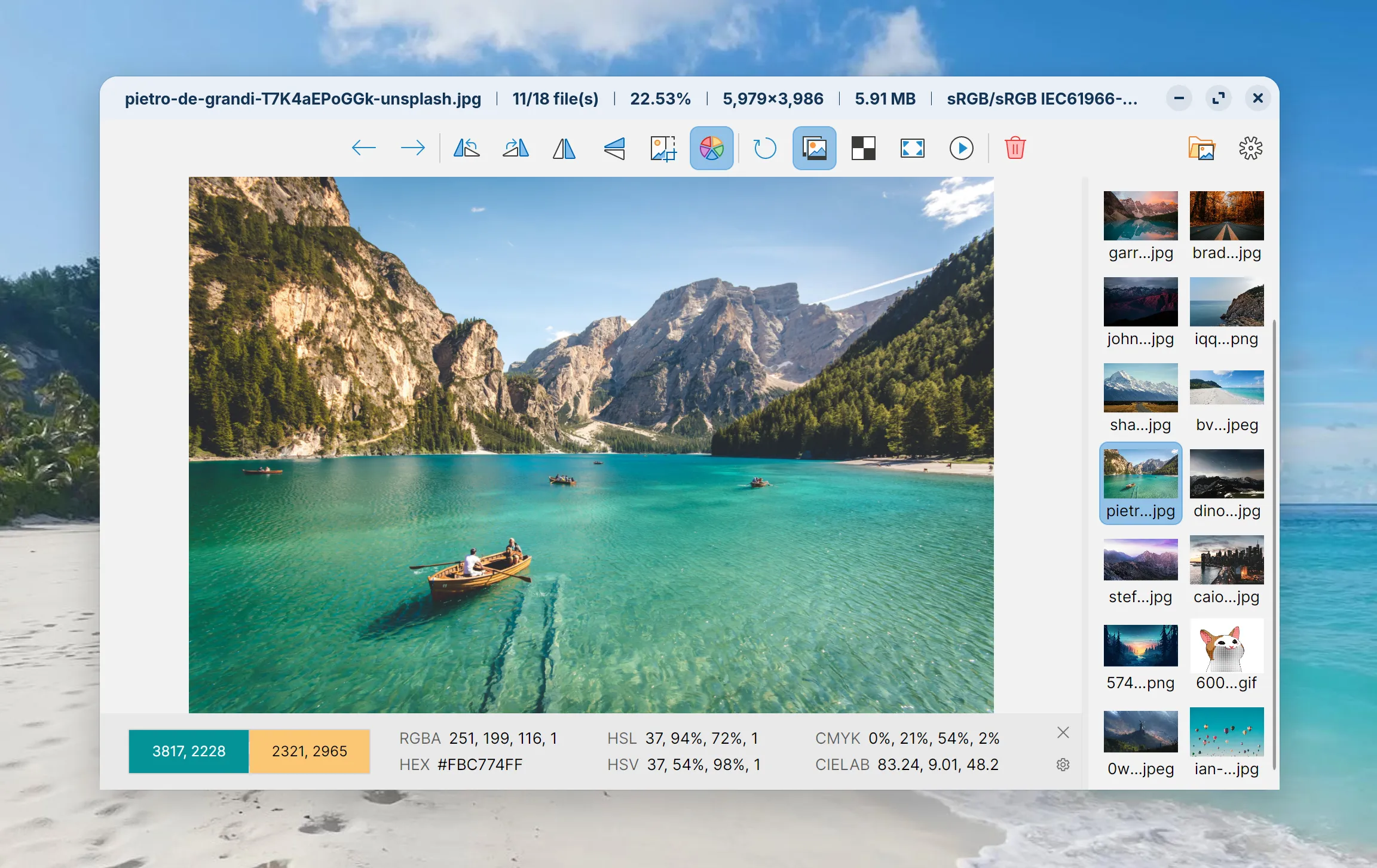
HDR Image Support
ImageGlass 10 supports high dynamic range (HDR) viewing for AVIF, JPEG XL, HDR, and EXR formats via a dedicated HDR Tone Mapping pipeline.
- Classic Edition: Applies an optimized default tone-mapping curve to render high dynamic range content accurately on standard displays.
- Pro Edition: Unlocks the live HDR Tone Mapper tool, allowing fine-grained manual adjustments for white point, exposure, saturation, and highlight compression in real time.
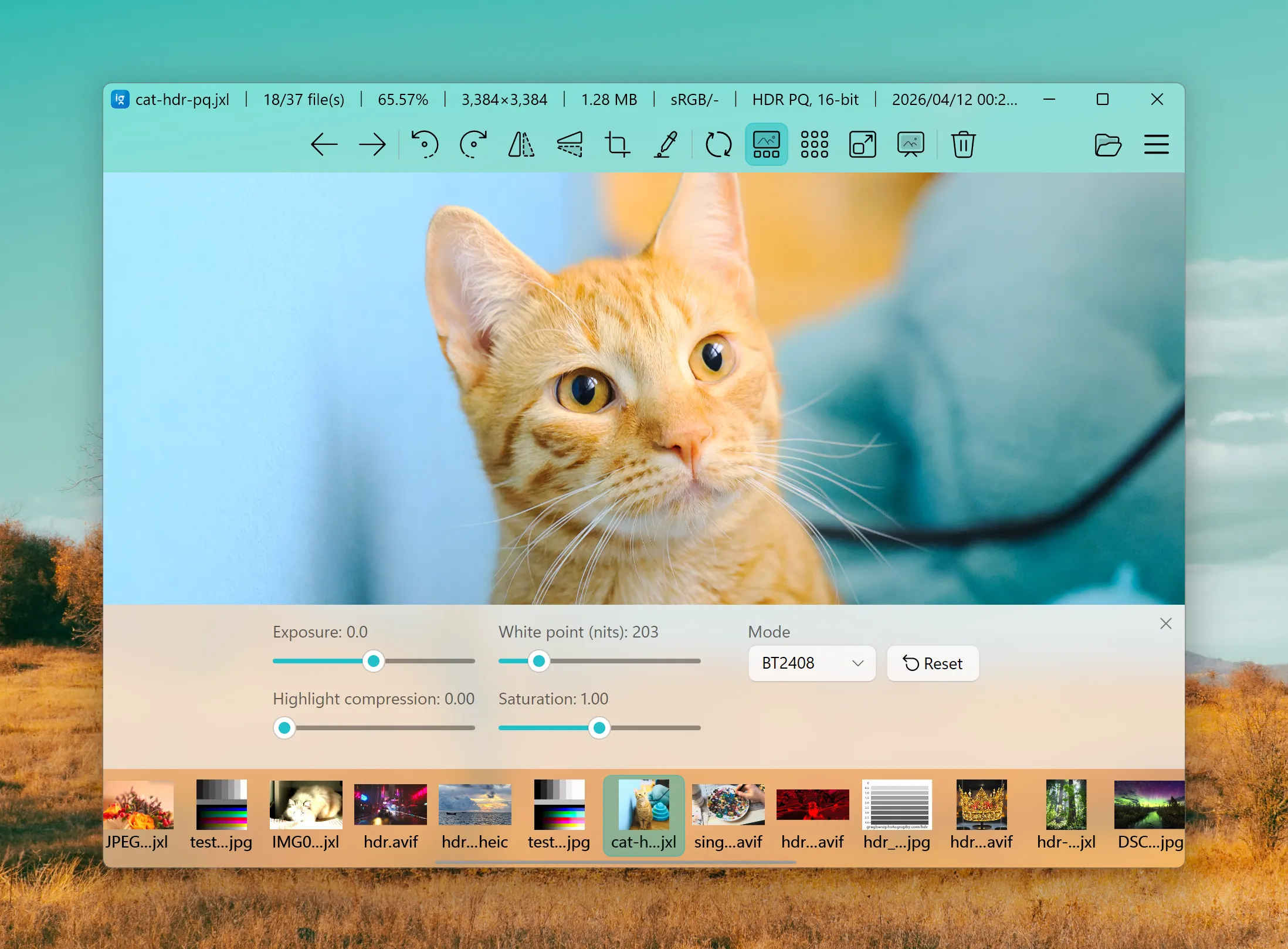
Modern Interface & Native Settings
The user interface adopts Fluent 2 styling with dynamically calculated accent shades for optimal visual contrast.
The legacy web-view settings window has been replaced by a fully native UI with new management features:
- Instant search across settings by key or localized display name.
- Direct keybinding and hotkey remapping UI.
- Dialog for adding and configuring custom toolbar shortcuts.
- Clear codec attribution displayed alongside supported file types.
- Centralized plugin management dashboard.
The redesigned Quick Setup wizard guides initial configuration on first launch.
Codec Plugins & External Tool Integration
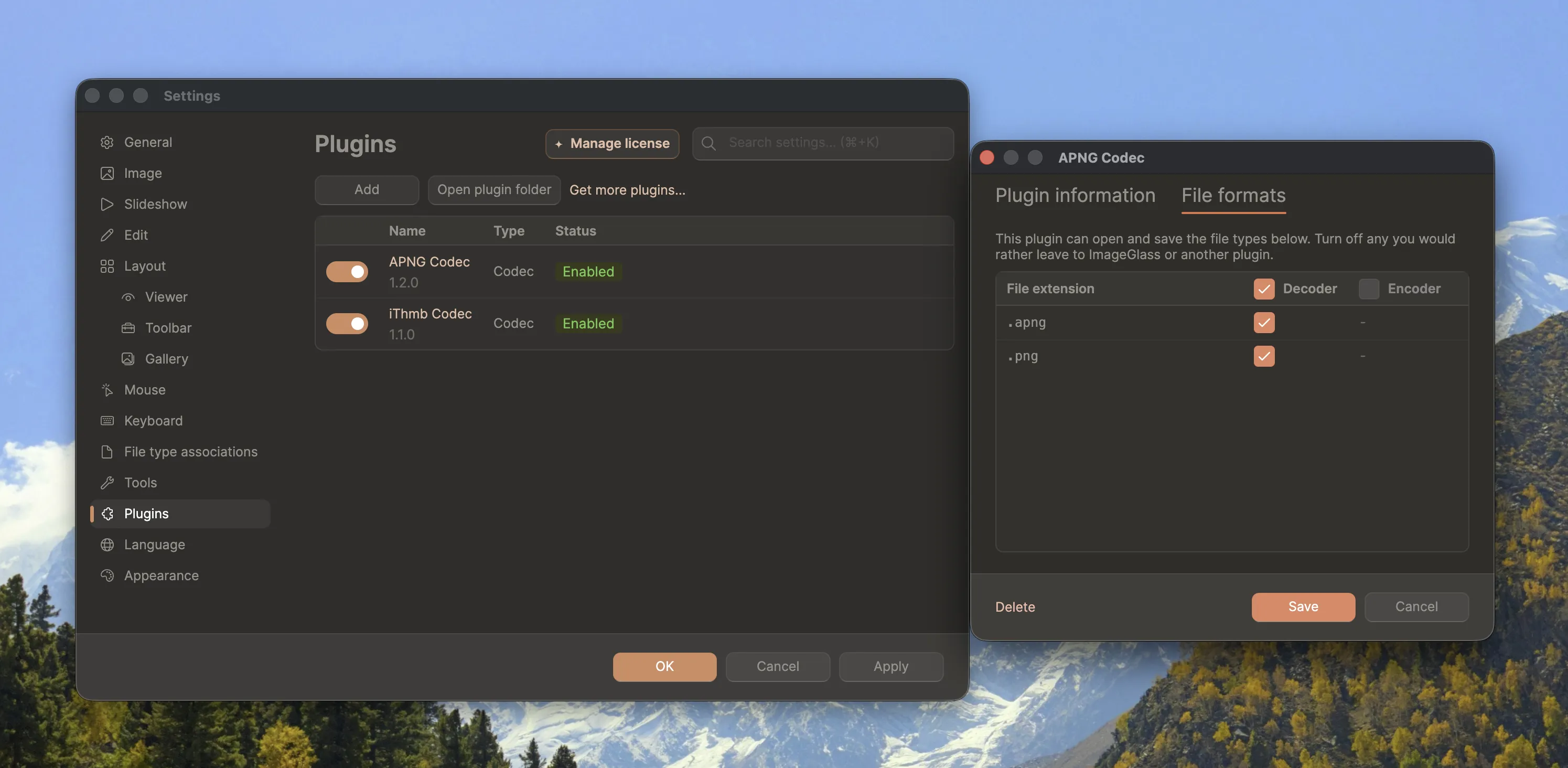
ImageGlass 10 introduces an extensible codec plugin architecture.
Plugins allow third-party decoders to plug directly into ImageGlass, exposing new file formats in the standard browser loop. To safeguard user security, ImageGlass prompts for explicit permission before loading any third-party plugin for the first time, and automatically disables any plugin whose binary signature changes unexpectedly.
Explore available extensions in the official plugins directory – such as the .ithmb legacy iPod image decoder contributed during the RC phase.
External utility integration works through the same open framework. ExifGlass 2 connects seamlessly with ImageGlass 10 for advanced EXIF metadata inspection. Developers can build custom extensions using the ImageGlass SDK.
ImageGlass Pro & Pricing
Alongside ImageGlass Classic (which stays 100% free and open source), ImageGlass Pro is now available. Pro unlocks extra capabilities such as the live HDR Tone Mapper tool, free and margin panning, File Watcher, custom mouse click remapping, settings lock for managed rollouts, and feature locks for shared devices.
Pricing starts at $14.90 one-time for Pro Individual, $69 one-time for Pro Team, and seat-based subscriptions for Pro Business. Pro licensing runs on trust with local verification - no account sign-in, online DRM, or activation servers needed.
For complete details on plans, features, pricing, and privacy, check out the Official: ImageGlass 10 Release Plans, Pricing, Features, and Privacy announcement.
ImageGlass 9 Roadmap
With ImageGlass 10 now available, ImageGlass 9 enters its final lifecycle phase:
- Maintenance Mode: Development is strictly focused on critical bug fixes and stability updates. No new features will be added.
- Six-Month Hotfix Window: Critical security and stability hotfixes will continue for six months starting today, allowing ample time to evaluate ImageGlass 10 and transition smoothly.
- End of Life (EOL): Public updates for ImageGlass 9 will cease after the six-month window ends.
- Extended Support: Paid extended support options remain available for enterprise users who require critical maintenance beyond EOL.
Get ImageGlass 10
⚠️ Security Alert: Fake Repositories and AI Threat Mitigation
Automated malicious campaigns are actively deploying AI tools to impersonate trusted software. They stand up fake GitHub profiles and standalone Gists designed to trick users into downloading compromised packages. Please enforce the following verification steps on every installation:
- Only use official channels: Always download ImageGlass directly from the official website (https://imageglass.org). Never download binaries from third-party mirrors, unverified GitHub forks, or standalone GitHub Gists.
- Verify the repository source: The only authentic spaces for this project on GitHub are the official d2phap/ImageGlass repository and the ImageGlass Organization. Any other profile or fork promising 'portable patches', 'extended releases', or alternative mirrors is completely unauthorized and highly likely to contain malware.
- Check the URL: Double-check your browser address bar to ensure you are not visiting a typosquatted domain.
If you identify an unauthorized mirror, submit a report immediately to help keep the community safe.
All release assets for Windows, macOS, and Linux are available now on the release page. Bug reports, feature suggestions, and contributions can be submitted on the GitHub Issues tracker.
Thank you to everyone who tested the beta builds, reported crashes, translated the app, built plugins, or donated. ImageGlass 10 took years of development, and it got here on your feedback!