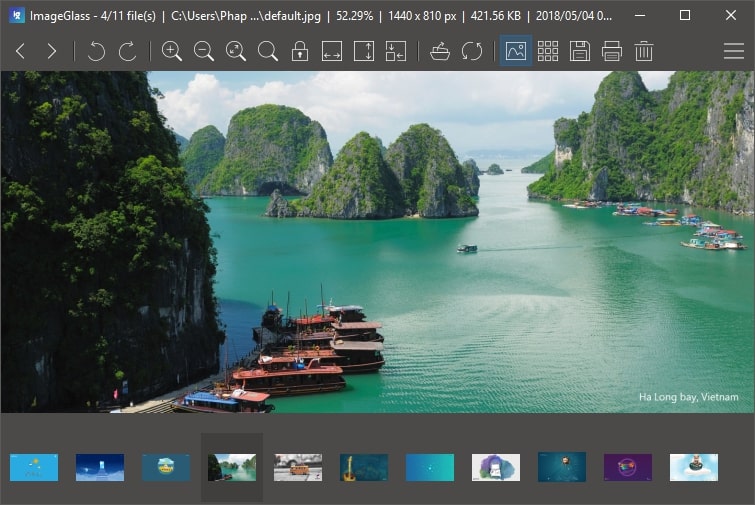
ImageGlass keeps getting better - the version 5 includes new innovations, features and bug fixes.
New First-Launch Configurations screen
helps you to quickly set up on the first launch of ImageGlass. You can select your language, layout mode, theme; or set ImageGlass as default photo viewer.
The Layout mode contains two options:
- Standard: all the configs are set as same as the previous version of ImageGlass
- Designer: will optimize the layout and mouse shortcuts for designer, such as horizontal scrolling, vertical scrolling...
Color Picker tool
ImageGlass 5 supports Color Picker tool which allows you to pick a color of the viewing image, and automatically convert it to 4 color formats: RGBA, HEXA, CMYK and HSL.
You can toggle the tool by pressing Ctrl+Shift+K or opening the Main menu > Tools > Color Picker.
Customizable toolbar buttons
I received so many requests to implement this feature and finally it comes with ImageGlass 5.0, thanks to Kevin Routley - my new collaborator.
To customize the toolbar buttons, you can go toSettings dialog > Toolbar.
Enhanced files real-time update
ImageGlass 5 will instantly update the viewing image, as well as the images in the viewing folder, if you make change on it. This also includes thumbnail bar.
Other enhancements
Save the viewing image with lossless quality (depending on the format). Ability to copy image data on the viewer. Instantly apply the configurations if you make any changes.
Download it now!
Please be cautious of scams and only download ImageGlass from our official website. We highly recommend against downloading ImageGlass from any other source to avoid potential security risks. Additionally, if you encounter any bugs, have suggestions, or would like to provide feedback, please use our Issues tracker.
For the complete changes see the changelog.